
Panorado Applet2.2 - Download
You'll be able to download in few seconds.
Publisher Description
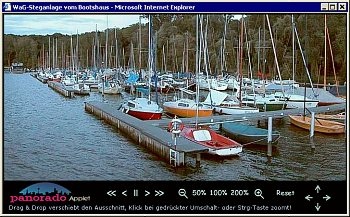
The Panorado Java applet enables you to design websites with interactive panoramic pictures or other kinds of large pictures. Features: * It is platform-independent and executable on all browsers supporting Java 1.4 (or newer). It is downloaded automatically along with the document and doesn't need to be installed. Its size is just about 37KB. * It offers a comfortable, mouse-oriented user interface for panning and zooming, allowing smooth movements. * You can choose from 3 projection modes, focussed either on fast rendering of large images or realistic 3-D rendering of panoramic or wide-angle pictures. * The viewing area is scalable at runtime. * It is designed for displaying JPEG files which is the standard format for photos. It doesn't require any special file formats (e.g. IVR, MOV). * It provides an optional compass scale. * It supports hotspots for providing information about image details or for creating virtual tours. * You can define virtual camera tracks across the image with linear and curved motion paths, zooming, and screen change options. * The visual apperance is customizable to a high degree. * For those who are familiar with HTML and JavaScript, it offers a programming interface which allows the creation of virtual tours, web galleries, etc. For all the others, there is some sample HTML code for copying-and-pasting on the Panorado website.
About Panorado Applet
This Java & JavaScript program is available in English, German. It was last updated on 02 November, 2026. Panorado Applet is compatible with the following operating systems: Other.
The company that develops Panorado Applet is Karl Maloszek - Simple Software. The latest version released by its developer is 2.2.
The download we have available for Panorado Applet has a file size of N/A. Just click the green Download button above to start the downloading process. The program is listed on our website since 2007-12-20 and was downloaded 0 times. We have already checked if the download link is safe, however for your own protection we recommend that you scan the downloaded software with your antivirus. Your antivirus may detect the Panorado Applet as malware if the download link is broken.
How to install Panorado Applet on your Windows device:
- Click on the Download button on our website. This will start the download from the website of the developer.
- Once the Panorado Applet is downloaded click on it to start the setup process (assuming you are on a desktop computer).
- When the installation is finished you should be able to see and run the program.
Program Details
System requirements
Download information
Pricing
Version History
version 2.2
posted on 2007-12-20
Disclaimer
External Download
We do not host Panorado Applet on our servers. We did not scan it for viruses, adware, spyware or other type of malware. This app is hosted by the software publisher and passed their terms and conditions to be listed there. We recommend caution when installing it.
The external download link for Panorado Applet is provided to you by apps112.com without any warranties, representations or guarantees of any kind, so access it at your own risk.
If you have questions regarding this particular app contact the publisher directly. For questions about the functionalities of apps112.com contact us.
